

Find your way around
Every page in Nimzo shares the same frame: a sidebar on the left, a header at the top, and the page itself in the middle.
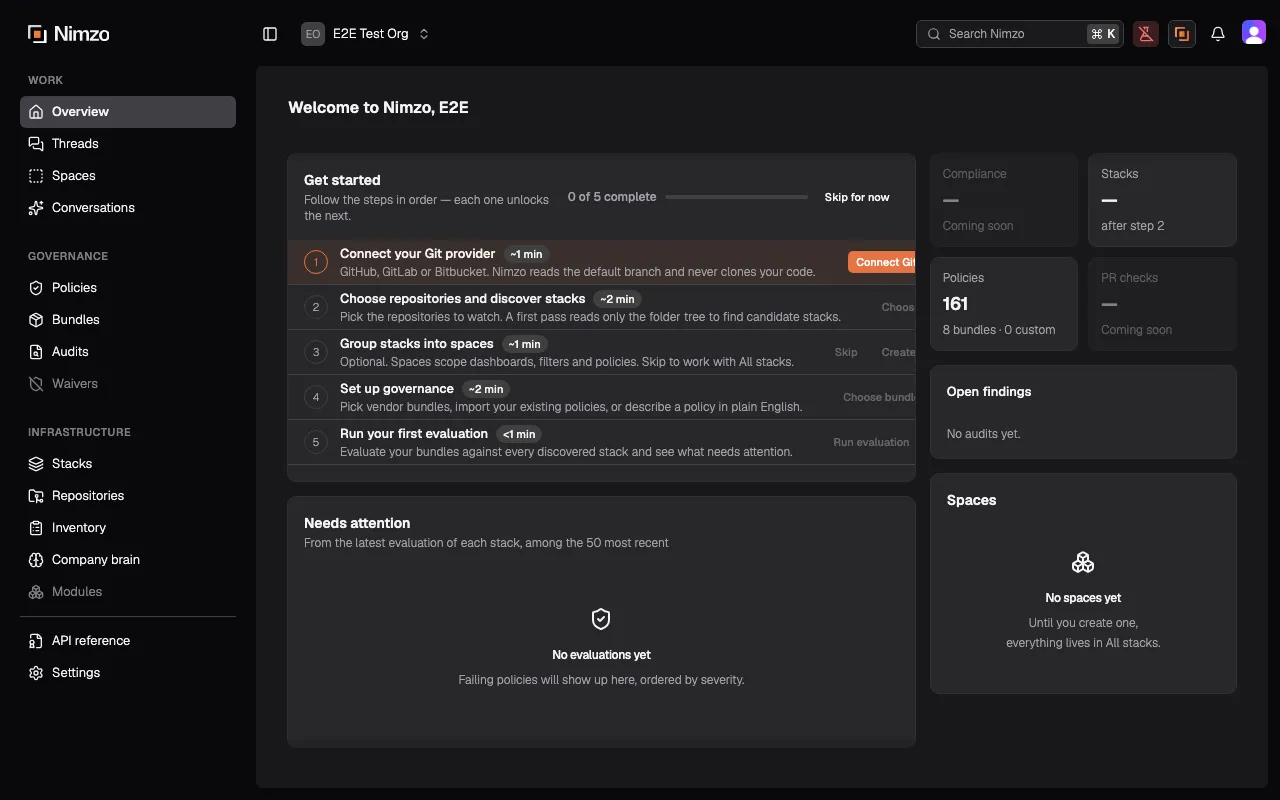
The sidebar
Section titled “The sidebar”The sidebar lists the areas of Nimzo, grouped by what you do in them:
- Work holds your Overview, your Spaces and your Conversations with the agent.
- Governance holds the Policies your infrastructure must follow, the Bundles that group them, and the Audits that check your stacks against them.
- Infrastructure holds your Stacks and the Inventory of the resources they deploy.
API reference and Settings sit below the areas.
To give the page more room, select the sidebar button at the left of the header. Select it again to bring the sidebar back.
The header
Section titled “The header”- The organization switcher shows the organization you work in. Select it to switch to another organization. Nothing from one organization is visible in another.
- The space switcher and the stack switcher show only on a stack page. Use them to go to another stack of the same space, or select All stacks to go back to the Stacks page.
- Search Nimzo opens the command menu. You can also press ⌘ K.
- Notifications and your user menu sit on the right.